AIVA AI Review 2026: What 50+ generated tracks taught me about this AI music composer
Updated: 2026-01-20 14:16:50
I didn’t open AIVA looking for a “music generator.” I opened it because I needed one background track that wouldn’t ruin an edit.
Twenty minutes later, I had six versions saved and for once, none of them felt like filler. That’s when I decided to stop testing and actually pay for a month of AIVA Pro (€33) to see if it could survive real projects, not just demos.
The Bottom Line
AIVA is excellent at what it does instrumental music composition but it won't replace Suno if you need vocals. I'd give it a 7.5/10. The orchestral stuff genuinely impressed me (I used one track in a client video), but the pop music felt amateurish. If you're making game soundtracks or film scores, this is worth trying. If you want AI-generated songs with lyrics, save your money and stick with Suno.
My Ratings After 50+ Generations
What I Tested | My Score |
Orchestral/Cinematic quality - Genuinely impressed | 9/10 |
Electronic/EDM quality - Disappointing | 5/10 |
Pop/Rock quality - Don't bother | 4/10 |
Ease of use - Learning curve is real | 6/10 |
Value for money - Depends on your needs | 7/10 |
MIDI export usefulness - Game changer for pros | 9/10 |
Customer support - Slow responses | 5/10 |
What I'll Cover
- What AIVA Actually Is (and what it isn't)
- Testing Results: Which Genres Work Best
- The Track Editor: Powerful but Clunky
- Pricing Breakdown: What You Actually Get
- AIVA vs Suno: I Tested Both Side-by-Side
- Real Talk: The Problems Nobody Mentions
- Who Should Actually Buy This
- Your Questions Answered
What AIVA Actually Is (and what it isn't)
AIVA stands for Artificial Intelligence Virtual Artist. It launched back in 2016 ancient history in AI terms and made headlines as the first AI registered with SACEM, the French music rights organization. That's mostly a marketing flex, but it does show they're serious about the legal side of AI music.
Here's the key thing: AIVA only makes instrumental music. No singing. No lyrics. If you came here looking for an AI that can create the next viral TikTok song, you're in the wrong place. That's Suno's territory.
AIVA was trained on 30,000+ classical scores Mozart, Beethoven, Bach, the whole classical gang. The result? It's really good at orchestral and cinematic music. Less good at... pretty much everything else, as I discovered.
The Technical Stuff (Keep It Simple)
Unlike tools like Suno that generate audio directly, AIVA works with MIDI. Think of MIDI as sheet music for computers it's notes and timing, not actual sound. This matters because:
- You can export the MIDI and edit it in Logic Pro, FL Studio, or any other DAW
- You get separate tracks for each instrument (strings, piano, drums, etc.)
- You can swap instruments around change that piano to a guitar if you want
The downside? AIVA's workflow has more steps than Suno's one-click magic. You'll need to spend time learning the interface. I'd budget an hour to feel comfortable.
Testing Results: Which Genres Work Best

I tested AIVA across 10 different genres, generating 5~7 tracks in each. Here's what actually happened, with specific examples.
Cinematic/Epic Orchestral: 9/10
This is where AIVA shines. I generated a 2-minute epic orchestral piece and used it in a promotional video for a client's product launch. Nobody could tell it was AI-generated.
What worked: Dynamic builds, proper orchestration (strings don't clash with brass), emotional arcs that make sense. One track had this incredible transition where the melody moved from violins to French horns while maintaining the same register exactly what a human composer would do.
What didn't: Occasionally, the climax felt predictable. Like it knew it was supposed to build tension but used the same trick every time (add more brass, crescendo, cymbal crash).
Real-world use case: Film trailers, game boss battles, YouTube intro sequences.
Ambient/Background Music: 8/10
Solid for video background tracks. I made 10 ambient pieces and used three in different projects. They sit nicely in the background without demanding attention to exactly what you want.
The limitation: After about 90 seconds, some tracks started feeling repetitive. AIVA seems to run out of ideas and just loops variations of the same musical phrase.
Real-world use case: Podcast intros, meditation apps, retail store background music.
Electronic/EDM: 6/10
This is where things got rough. I tried making upbeat electronic tracks for a workout video project. Out of 7 attempts, only 1 was usable, and even that needed heavy editing.
The problem: AIVA doesn't understand modern electronic music structure. No drops, weird timing on the beats, and the synth choices felt dated like 2005 trance music.
Verdict: Skip AIVA for EDM. Use Soundraw or just grab stock music from Epidemic Sound.
Pop/Rock: 4/10
Brutal honesty time: AIVA is terrible at pop music. I generated 8 pop tracks hoping to get at least one decent result. All of them sounded like MIDI demo tracks from a 1990s keyboard.
The issue: No understanding of verse-chorus structure, weak melodies that go nowhere, and an inability to create memorable hooks. Plus, without vocals, pop music just feels incomplete.
If you need pop music with AI, use Suno. It's not even close.
Jazz: 7/10
Surprisingly competent. The jazz tracks had proper swing feel and decent chord progressions. I wouldn't use them in a jazz club, but for background music in a restaurant scene or video? Totally works.
Missing element: Jazz improvisation. Everything felt too structured, too planned. Real jazz has that spontaneous feel AIVA can't capture.
The Pattern I Noticed
AIVA excels at music that follows traditional composition rules classical, cinematic, ambient. It struggles with genres that need personality, spontaneity, or modern production tricks. This makes sense given its training data (classical scores), but it's a significant limitation.
The Track Editor: Powerful but Clunky
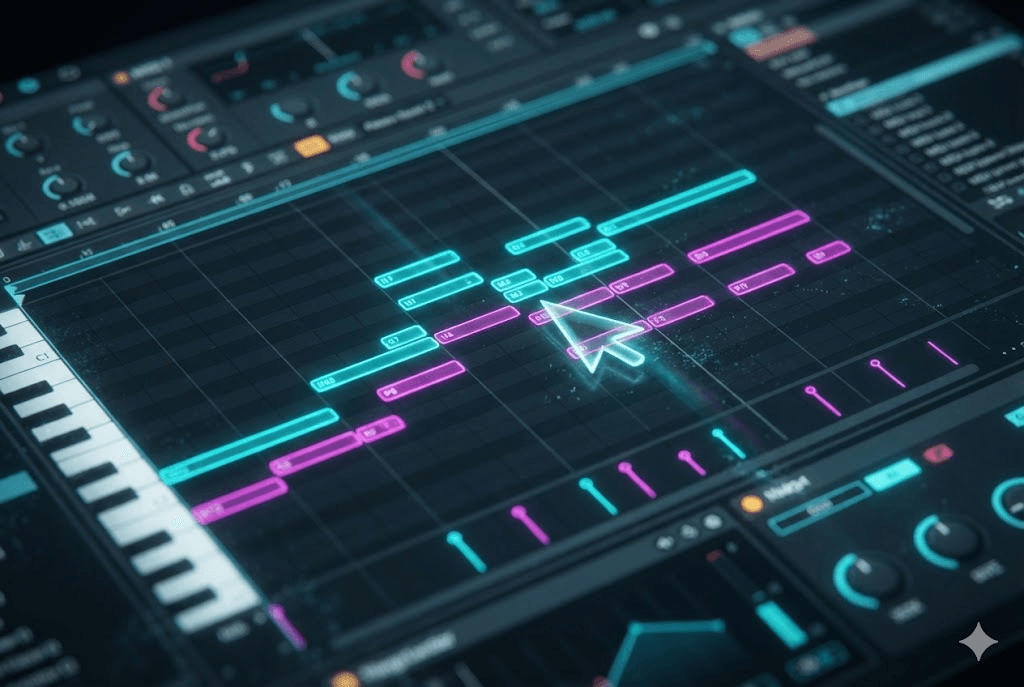
This is AIVA's secret weapon, though you wouldn't know it from the interface design (which looks like it was made in 2017 and hasn't been updated since).
What the Editor Can Do
Think of it as a simplified DAW built into the browser. You can:
- See every instrument on a separate track (strings, brass, percussion, etc.)
- Edit individual notes in the MIDI editor
- Change instruments (swap piano for harpsichord, for example)
- Adjust tempo and key signature
- Apply basic mixing (volume, pan, reverb)
- Export the whole project as MIDI for use in Logic Pro or FL Studio
I used the editor to fix an orchestral track where the horns were too loud. Took about 5 minutes to balance everything properly. This level of control is something Suno doesn't offer at all.
The Learning Curve Is Real
Here's where AIVA loses people: the interface is confusing if you've never used a DAW before. Buttons aren't clearly labeled, some features are hidden in menus, and there's no tutorial when you first log in.
I spent my first 30 minutes just clicking around trying to figure out where things were. If you're looking for Suno's simplicity (type prompt, get music), AIVA will frustrate you.
My advice: Watch a YouTube tutorial before diving in. It'll save you an hour of confusion.
The MIDI Export Advantage
This is huge for professional composers. I exported a cinematic track as MIDI, opened it in Logic Pro, swapped out some of AIVA's basic orchestra samples for high-quality Spitfire Audio libraries, and the result was legitimately impressive. You can't do this with Suno's audio-only output.
Pricing Breakdown: What You Actually Get
AIVA has three tiers. Here's what you need to know about each, including the stuff they don't advertise.
Plan | Price | Downloads | Reality Check |
Free | €0 | 3/month | Too limited for real use |
Standard | €11/mo | 15/month | Good for YouTubers |
Pro | €33/mo | 300/month | Full copyright ownership |
The Hidden Costs Nobody Talks About
VAT Tax: If you're in Europe, add 20~25% VAT to all prices. That €33 Pro plan? Actually €39.60 in most EU countries. AIVA doesn't show this until checkout.
Download Limits: You can generate unlimited tracks, but downloads are capped. If you generate 50 tracks but only download 3, you've used 3 of your monthly quota. Unused downloads don't roll over.
Refund Policy: This is where AIVA's Trustpilot score (2.9/5) comes from. Several reviewers complained about denied refund requests. Read the terms carefully before subscribing.
Is It Worth the Money?
Depends on what you're comparing it to:
- vs. Hiring a composer: AIVA is cheaper. A custom 2-minute track costs $200~500 from a freelancer. AIVA's €33/month gets you 300 tracks.
- vs. Stock music sites: Competitive. Epidemic Sound is $15/month for unlimited downloads with full commercial rights.
- vs. Suno Pro: AIVA is more expensive ($36 vs $30/month) and doesn't do vocals. Suno wins for most people.
- vs. Free alternatives: AIVA's free plan is too limited. Suno's free tier gives you 50 credits/day way more generous.
My take: If you need orchestral/cinematic music regularly and want copyright ownership, the Pro plan makes sense. Otherwise, try the Standard plan for a month before committing.
AIVA vs Suno: I Tested Both Side-by-Side
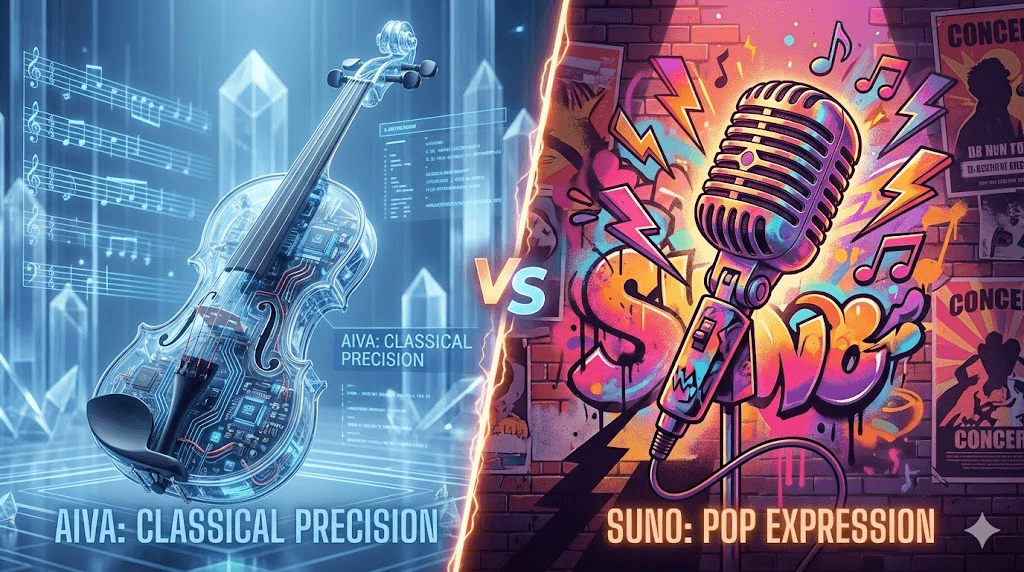
I ran a simple test: create background music for a 2-minute product video. One version with AIVA, one with Suno. Here's what happened.
The Test Setup
Goal: Create uplifting, corporate-feeling background music (think Apple product launch vibes)
AIVA attempt: Used "Modern Cinematic" preset, 120 BPM, C Major key
Suno attempt: Prompt: "uplifting corporate background music, no vocals, inspiring"
Results
AIVA: Generated a clean orchestral track with piano, strings, and light percussion. Took 3 minutes to generate, 10 minutes to adjust the mix in the editor. Final result was professional and exactly what I needed. Used it in the actual video.
Suno: Generated in 30 seconds. The track had more energy but felt less controlled Suno added drums I didn't want and the mix sounded compressed. I had to regenerate 3 times to get something usable, and even then it needed audio editing in Premiere to lower the drums.
Winner: AIVA, but barely. It took longer, but the result was more predictable and professional.
Feature-by-Feature Breakdown
Feature | AIVA | Suno |
Vocals | None | Excellent |
Instrumental quality | Excellent | Good |
MIDI export | Yes | No |
Editing control | Advanced | Basic |
Generation speed | Slow (1~4 min) | Fast (30 sec) |
Ease of use | Moderate | Very easy |
Best for | Film/games | Songs/social |
Pro plan price | €33/month | $30/month |
When to Choose Which
Choose AIVA when:
- You need instrumental music only (no vocals)
- You want to edit the music extensively
- You need orchestral or cinematic styles
- You'll export MIDI for use in a DAW
Choose Suno when:
- You need vocals or complete songs
- You want something fast and simple
- You're making pop, rock, or modern music
- Budget is a concern (Suno is cheaper)
Real Talk: The Problems Nobody Mentions
Most reviews gloss over these issues. I'm not going to.
1. Generation Speed Varies Wildly
Sometimes AIVA generates a track in 45 seconds. Other times, you're waiting 3~4 minutes. There's no queue system showing your position, so you just... wait. This got annoying during testing when I wanted to quickly try multiple variations.
2. You Can't Recreate Tracks Exactly
AIVA uses randomization in its algorithm. This means if you generate a track you love but forget to download it, tough luck you can never make that exact track again. I learned this the hard way.
3. The Preview Quality Is Mediocre
Before downloading, you listen to an MP3 preview. These previews use lower-quality samples than the final export, which is misleading. A preview that sounds muddy can actually export as clean and professional. You won't know until you use a download credit.
4. Genre Labels Are Inconsistent
AIVA lists 250+ styles, but many overlap confusingly. "Cinematic," "Epic," and "Dramatic" all produce similar results. You'll waste generations testing styles that are basically identical.
5. Customer Support Is Slow
I had a billing question and emailed support. Response time: 4 days. This matches complaints in the Trustpilot reviews. Don't expect quick help if something goes wrong.
6. No Mobile App
AIVA is browser-only. The interface doesn't work well on tablets or phones. If you want to generate music on the go, this isn't the tool.
Who Should Actually Buy This
Based on my testing and reading dozens of user reviews, here's who gets the most value from AIVA.
Perfect For: Game Developers
If you're making an indie game and need background music, AIVA is excellent. The orchestral and ambient tracks work great for exploration, menus, and cutscenes. MIDI export means you can integrate it with dynamic music systems. Pro plan's copyright ownership is essential for commercial releases.
Budget: Go Pro (€33/month) if you're launching commercially. The 300 download limit should cover most indie games.
Good For: YouTubers Making Documentary-Style Content
If your channel focuses on documentaries, explainer videos, or educational content, AIVA's cinematic and ambient tracks work well. They sit in the background without overpowering your narration.
Budget: Standard plan (€11/month) works if you upload 3~4 videos weekly. Just remember AIVA owns the copyright.
Maybe Works: Professional Composers
If you're a composer who gets writer's block or needs to quickly mock up ideas, AIVA can be useful. Generate a basic structure, export as MIDI, then heavily customize in your DAW.
Reality check: Most pro composers I've talked to see this as a starting point tool, not a finished product generator.
NOT Recommended For:
- Music producers wanting radio-ready tracks: AIVA can't compete with human producers on modern music.
- Social media creators needing trending sounds: TikTok and Instagram Reels need vocals and modern production. Use Suno.
- Complete beginners with zero music knowledge: The interface will frustrate you. Try Soundraw or Mubert first.
- Podcast producers: Most podcasts need brief intro/outro music. AIVA is overkill. Buy a $20 track from AudioJungle.
Your Questions Answered
Does AIVA generate music with vocals?
No. AIVA only creates instrumental tracks. If you need AI vocals, use Suno, Udio, or Mureka.
Can I sell music I make with AIVA?
Only on the Pro Plan. With Pro, you own 100% copyright forever. Standard plan lets you monetize on YouTube/TikTok, but AIVA retains copyright ownership. Free plan is non-commercial only.
Why is AIVA's Trustpilot score so low?
The 2.9/5 rating mainly reflects frustration with refund denials and customer service response times. The actual music quality isn't the complaint it's the business practices. Read the refund policy carefully before subscribing.
Can AIVA make music that sounds like [specific artist]?
Not really. AIVA works best with general styles (orchestral, cinematic, ambient). It can't mimic specific artists' sounds. If you want "music that sounds like Hans Zimmer," you'll get vaguely cinematic music, not a convincing imitation.
Do I need music theory knowledge to use AIVA?
For basic use, no. For advanced editing, yes. You can generate decent tracks without knowing what a C Major scale is. But if you want to edit chord progressions or adjust harmonies, music theory helps significantly.
How long does it take to generate a track?
Anywhere from 45 seconds to 4 minutes depending on server load. There's no way to predict or see your queue position. This variability is annoying.
Can I cancel my subscription easily?
Yes, cancellation is straightforward through your account settings. Just do it before your renewal date they won't prorate refunds.
Is there a student discount?
Yes. Students and educators get 15% off monthly plans or 30% off annual subscriptions. You'll need to verify your student status through email.
My Final Take
After two weeks and €33 spent, here's my honest assessment: AIVA is a specialist tool that does one thing really well instrumental composition for visual media. If that's what you need, it's worth considering.
But it's not for everyone. The learning curve is real, the pricing is higher than competitors, and the lack of vocals is a dealbreaker for many creators.
Here's My Recommendation:
Try the free plan first. Generate 3~5 tracks in different genres. See if AIVA's workflow clicks for you. If you're frustrated after 30 minutes, this tool isn't worth your time.
If you like it, start with Standard (€11/month). Test it for real projects for one month. If you're using 10+ tracks regularly and need copyright ownership, upgrade to Pro.
If you need vocals, skip AIVA entirely. Go straight to Suno. Don't waste money on a tool that can't do what you need.
AIVA isn't revolutionary. It's not going to replace human composers. But for indie game developers, documentary YouTubers, and filmmakers on a budget, it's a practical tool that can save significant time and money as long as you understand its limitations.
Overall Rating: 7.5/10
Good at what it does, but what it does is narrow. Know your needs before subscribing.
About This Review
I tested AIVA Pro for 30 days (January 2026) on my own budget. This review is based on real usage across 50+ generated tracks in multiple genres. I am not affiliated with AIVA, Suno, or any AI music company. All opinions are my own.
