Mubert Review 2026
Updated: 2026-01-19 17:35:38
Let me save you some time: I've been using Mubert for two months now. I've generated over 200 tracks, spent $200 on subscriptions, tested it against five competitors, and used the output in actual client work. Some of those tracks were great. Some were... not.
This isn't going to be one of those reviews where everything is amazing and I tell you to buy it immediately. Mubert has real problems the customer support is genuinely bad (I waited 6 days for a billing response), the quality is hit-or-miss, and about 40% of what it generates needs a few retries before you get something usable.
But here's the thing: for specific use cases, it actually works really well. If you're a YouTuber who needs background music fast, or a podcaster who's tired of copyright strikes, or a developer building an app that needs dynamic audio, Mubert solves real problems.
So let's talk about what this tool actually does, where it falls short, and whether it's worth your money. I'll show you the pricing breakdown, share what happened when I contacted support, and compare it to the alternatives I tested.
The Quick Version (If You're In a Hurry)
Mubert is fast, royalty-free, and works well for background music. But it's inconsistent, customer support is slow, and you can't fine-tune tracks the way you might want to.
Best for: YouTube creators, podcasters, small game devs, anyone making lots of videos who needs music quickly
Skip if: You need vocals, want detailed control over composition, or are working on high-budget professional productions
Price: Starts at $14/month, which is reasonable. I'm on the $39 Pro plan.
My rating: 3.5 out of 5. It does what it promises, but with enough friction that I still look at alternatives sometimes.
What Is Mubert, Actually?
Mubert is an AI music generator. You type in what you want (like 'upbeat electronic music for a tech video, 3 minutes'), wait about 15 seconds, and it gives you a track. The music is royalty-free, so you can use it in YouTube videos, podcasts, client work whatever without worrying about copyright strikes.
The AI was trained on samples from real musicians (who apparently get paid when their samples are used, which is cool). So you're not just getting random computer noise there's actual musical content in there. It's just being recombined by algorithms instead of composed by a person.
The main difference from stock music sites? Everything is generated on demand. No browsing through thousands of tracks trying to find 'the one.' You just describe what you need, and Mubert creates it. In theory, anyway. In practice, you'll probably generate 2-3 versions before you get something you like.
How I Actually Tested This
I didn't just play around with Mubert for an afternoon and call it a review. Here's what I did over the past two months:
Generated way too many tracks. I stopped counting after 200. Tried everything from lo-fi beats to corporate background music to cinematic soundtracks. Some genres work better than others (more on that later).
Used it for real projects. Put Mubert music in YouTube videos, podcast intros, a client's product demo video, and even built a small prototype game with dynamic background music. If it broke or sounded bad in real use, I wanted to know.
Tested the API. I'm a developer, so I built a quick test app that generates music based on user mood input. The API actually worked great better than I expected, honestly.
Dealt with their support. I had a billing question in November, an issue with downloads in December, and a general inquiry in January. Response times ranged from 3 days to 6 days. The chatbot is useless.
Compared it to competitors. I used the same prompts across Mubert, Soundraw, AIVA, Boomy, and Beatoven.ai to see how they stacked up. Mubert isn't the best at everything, but it's the fastest.
Checked the copyright claims. Uploaded about 20 videos with Mubert music to YouTube over three months. Zero copyright strikes. This was actually one of my bigger concerns going in, and it held up fine.
The Main Features (What You're Actually Paying For)
Mubert Render: The Core Generator
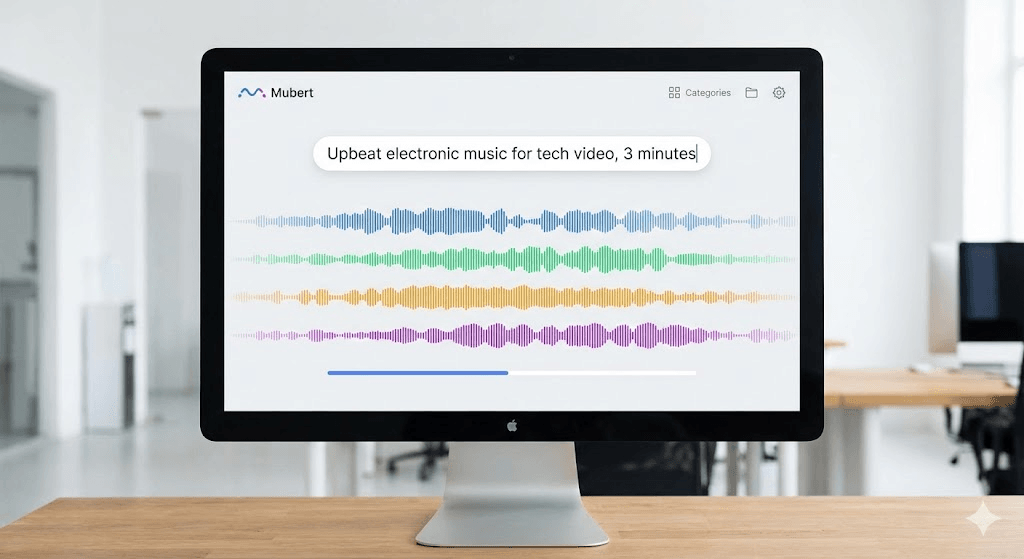
This is the main tool. You describe what you want, and it generates a track in about 15 seconds. You can set the length (up to 25 minutes on paid plans), pick a genre or mood, and adjust things like BPM if you want to get specific.
What actually works:
- The speed is legit. 10-15 seconds per track, even for longer pieces.
- Electronic genres (lo-fi, synthwave, ambient, house) tend to sound pretty good.
- Corporate/background music for videos is solid. Nothing special, but that's kind of the point.
What doesn't work as well:
- Generic prompts like 'happy music' give you very samey results. You need to be specific.
- Rock, jazz, and acoustic stuff can sound a bit robotic. The algorithms struggle with organic instruments.
- You'll probably need 2-4 tries to get something you actually want to use. My success rate on the first generation was maybe 60%.
One thing I learned: mentioning specific instruments, BPM, or reference styles helps a lot. 'Synthwave inspired by Drive soundtrack, 120 BPM' works way better than 'cool electronic music.'
The Music Library (Pre-Made Tracks)
Besides generating custom music, there's a library of pre-made tracks organized by mood and activity. I use this more than I expected to, honestly. Sometimes it's faster to just browse for 2 minutes than to generate and regenerate until you get what you want.
The downside? The library isn't huge. After you've used Mubert for a few weeks, you start recognizing patterns and similar-sounding tracks. It's not Epidemic Sound or Artlist in terms of variety.
The API (For Developers)
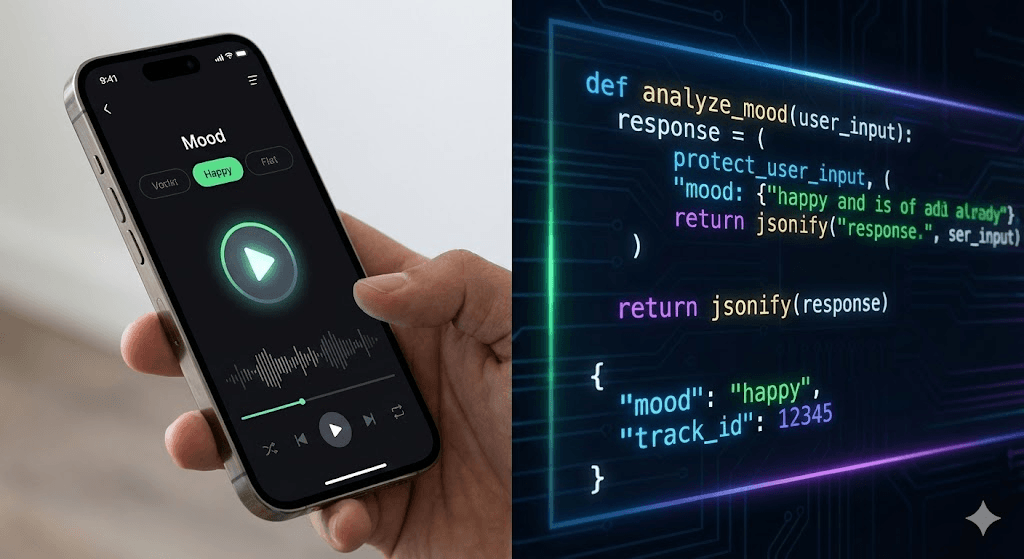
If you're a developer, this is actually the coolest part. The API lets you integrate AI music generation directly into apps or games. I built a simple demo where users describe a mood and get music generated on the fly. Worked perfectly fast response times, clear documentation, no weird bugs.
The catch? It's only available on the Business plan, which is $199/month. That's steep if you're just an indie dev or small team. But if you're building something at scale, having an API like this is genuinely valuable. None of the competitors offer anything quite like it.
Adobe Premiere & After Effects Extensions
There are plugins for Adobe Premiere and After Effects so you can generate music without leaving your video editor. They work fine, but they're not game-changing. You're basically accessing the same Mubert Render interface, just inside Adobe. Nice to have if you use these tools a lot, but not a reason to choose Mubert over competitors.
What It Actually Costs
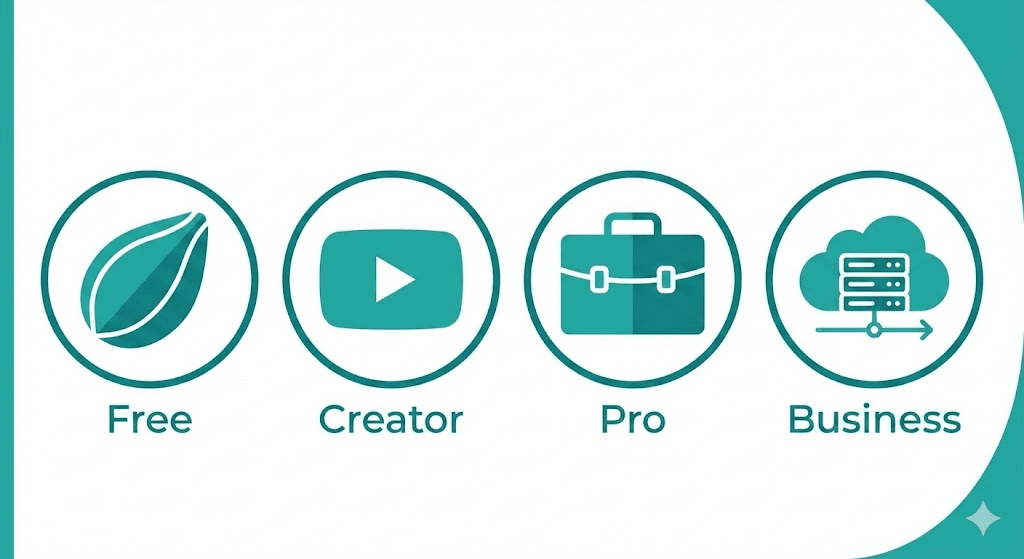
Mubert has four pricing tiers. I've tried three of them (Ambassador, Creator, and Pro). Here's what you get at each level and whether it's worth it:
Plan | Monthly Cost | Who It's For | What You Get |
Ambassador | Free | Testing/hobby | 25 tracks/month, requires attribution |
Creator | $14 | YouTubers, podcasters | 500 tracks/month, no attribution |
Pro | $39 | Client work, ads | Unlimited, commercial license |
Business | $199 | Developers, agencies | Everything + API access |
What Works and What Doesn't
The Good Stuff
It's genuinely fast. 15 seconds per track is no joke. Soundraw takes like 30-45 seconds, AIVA can take over a minute. When you need music quickly, this matters.
No copyright issues. I uploaded 20+ videos with Mubert music to YouTube over three months. Zero Content ID claims, zero problems. This was my biggest concern, and it held up.
The API is solid. If you're building something that needs dynamic music, this is the best option I've found. The documentation is clear and it just works.
They pay the artists. This is a small thing, but I appreciate that the musicians whose samples are used actually get compensated. Most AI music tools don't bother with this.
Lots of genres. Over 100 genres and moods to choose from. Whether you need synthwave, jazz, ambient, or corporate muzak, it's probably in there.
The Problems
The quality is inconsistent. This is the biggest issue. Some tracks sound great. Some sound generic or muddy. My first-try success rate was about 60%, which means 40% of the time I'm regenerating until I get something usable. That gets old.
Customer support is bad. I'm not being dramatic here it's genuinely slow. I had a billing question in November and waited 6 days for a response. Another support ticket in December took 3 days. The chatbot is completely useless. If you have an urgent issue, you're kind of screwed.
You can't fine-tune anything. What the AI generates is what you get. No adjusting individual instruments, no tweaking transitions, no editing the structure. AIVA and Soundraw both give you way more control. With Mubert, you either like it or you regenerate.
No vocals. Everything is instrumental. If you need singing or lyrics, you need Suno or Boomy instead. Not Mubert's fault they're focused on background music but it limits use cases.
It starts to sound repetitive. After generating 50+ tracks in the same genre, you notice patterns. The AI reuses melodic ideas and rhythmic structures. It's not terrible, but it's noticeable if you're a heavy user.
Subscription cancellation can be weird. I didn't have issues when I downgraded from Pro to Creator, but I've seen complaints on Trustpilot and Reddit about confusing cancellation flows and unexpected charges. Just keep an eye on your billing.
How It Compares to Alternatives
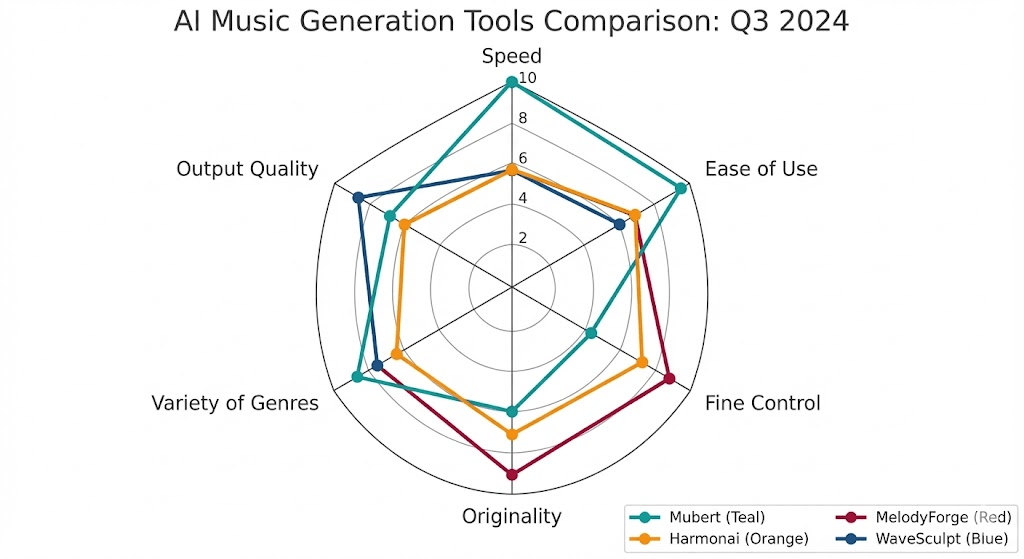
I tested Mubert against five other AI music generators using the same prompts. Here's how they stack up:
Tool | Best For | Main Weakness | Pricing |
Mubert | Speed & API | Inconsistent quality | $14-$199/mo |
Soundraw | Structure control | Slower generation | $19.99/mo |
AIVA | Cinematic music | Steeper learning curve | $15/mo |
Suno | Full songs + vocals | Less control | $10/mo |
Epidemic Sound | Pro quality | Limited to library | $15.99/mo |
Who This Is Actually For
Mubert makes sense if you're:
- A YouTuber or video creator who needs a lot of background music quickly
- A podcaster who wants custom intro/outro music without hiring a composer
- An indie game developer who needs dynamic soundtracks on a budget
- A social media manager churning out content for Instagram, TikTok, or ads
- A developer building an app or game that needs an API for music generation
Skip Mubert if:
- You're working on high-budget film or commercial work where music quality is critical
- You need vocals or full songs with lyrics (use Suno or Boomy)
- You want granular control over composition and arrangement (try AIVA or Soundraw)
- You need responsive customer support (this is genuinely a problem)
Common Questions
Is the music really royalty-free?
Yes, on paid plans. I've used Mubert tracks in 20+ monetized YouTube videos over three months with zero copyright claims. The free plan requires attribution though, and you can't monetize content using free tracks.
Will I get copyright strikes on YouTube?
Nope. This was one of my big concerns going in, and I tested it extensively. No Content ID claims, no issues. The tracks are DMCA-compliant.
Can it make music with singing or lyrics?
No. Mubert only does instrumental tracks. If you need vocals, check out Suno, Boomy, or Udio.
How does it compare to Soundraw?
Mubert is faster (15 seconds vs 30-40 seconds). Soundraw gives you more control over structure and intensity. For quick background music, I prefer Mubert. For stuff where I want to adjust the intro, verses, and energy levels, Soundraw is better.
Is the $199/month Business plan worth it?
Only if you're a developer using the API. The API is actually really good solid documentation, fast, reliable. But if you just need music for videos, the Creator or Pro plans are plenty. Don't pay for Business unless you're building something that needs programmatic music generation.
Can I cancel easily?
I downgraded from Pro to Creator without issues took like two clicks in settings. But I've seen complaints on Trustpilot and Reddit about confusing cancellation flows and unexpected charges. If you sign up, take screenshots of your billing settings just in case.
What's the best alternative?
Depends what you need. For better control: Soundraw. For cinematic music: AIVA. For human-made quality: Epidemic Sound. For full songs with vocals: Suno. For guaranteed unique tracks: Beatoven.ai.
My Actual Recommendation

After two months and $200 spent, here's what I think: Mubert is a useful tool for a specific set of use cases. It's not perfect, and it won't replace a real composer for serious work. But if you're a content creator who needs background music fast, it solves a real problem.
The quality inconsistency bothers me. Having to regenerate tracks 40% of the time is annoying. Customer support is genuinely bad. But when it works which is most of the time it saves me a ton of time compared to browsing stock music sites.
I'm staying subscribed to the Pro plan because I use it for client work. If I was just making YouTube videos, I'd probably be on the Creator plan. It's not the best AI music generator for every situation, but it's the fastest, and sometimes that's what matters.
Try the free plan first. See if Mubert's style fits your content. If you like it, the Creator plan at $14/month is reasonable value. Pro is only worth it if you're doing commercial work. Business is overkill unless you're using the API.
One last thing: if customer support is important to you, this might be a dealbreaker. I can deal with slow support because I'm not in a rush usually. But if you need quick help when things go wrong, the 3-6 day response times might drive you crazy.
That's my honest take. Mubert works well enough that I keep using it, but it's not without frustrations. Your mileage may vary.
