Best LALAL.AI Alternatives in 2026: 11 Stem Separation Tools Actually Worth Trying
Updated: 2026-01-21 18:03:47
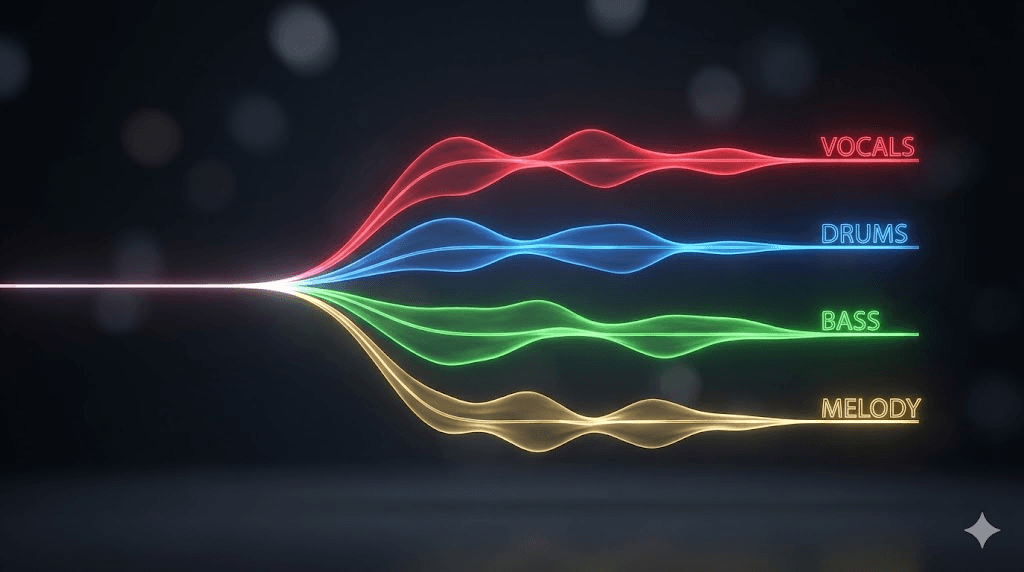
Look, I get it. You're here because LALAL.AI's pricing is starting to feel like a subscription trap, or maybe you just want to see what else is out there before committing. I've been down this rabbit hole myself spent way too many hours testing vocal removers and stem splitters because I needed something reliable for my DJ sets, and honestly? The landscape has changed a lot in the past year.
Here's the thing about stem separation tools: they all claim to be "AI powered" and "professional grade," but the reality is way more nuanced. I've personally tested 11 different tools over the past month (yes, using actual songs, not just demos), and I want to share what actually worked, what was a waste of time, and where LALAL.AI fits into all of this.
Why I Started Looking for LALAL.AI Alternatives
Before we dive in, let me be straight about why you might want to explore alternatives:
The pricing model isn't for everyone. LALAL.AI uses a credit system where you buy processing minutes 90 minutes for $15/month or 300 minutes for $25/month. If you're processing one track per week, sure, that's fine. But when I was preparing a 3 hour DJ set and needed to create custom edits, I burned through those minutes fast. The math stopped making sense.
Sometimes you need different features. I realized I wasn't just looking for vocal removal I needed drum isolation for sampling, and sometimes I wanted to extract just the piano from a jazz track. LALAL.AI does offer multiple stem types, but some alternatives specialize in areas where it's just... okay.
Quality varies by track. This surprised me. LALAL.AI would nail one song perfectly, then struggle with another that seemed simpler. I started wondering if different tools might handle different music genres better.
How I Actually Tested These Tools
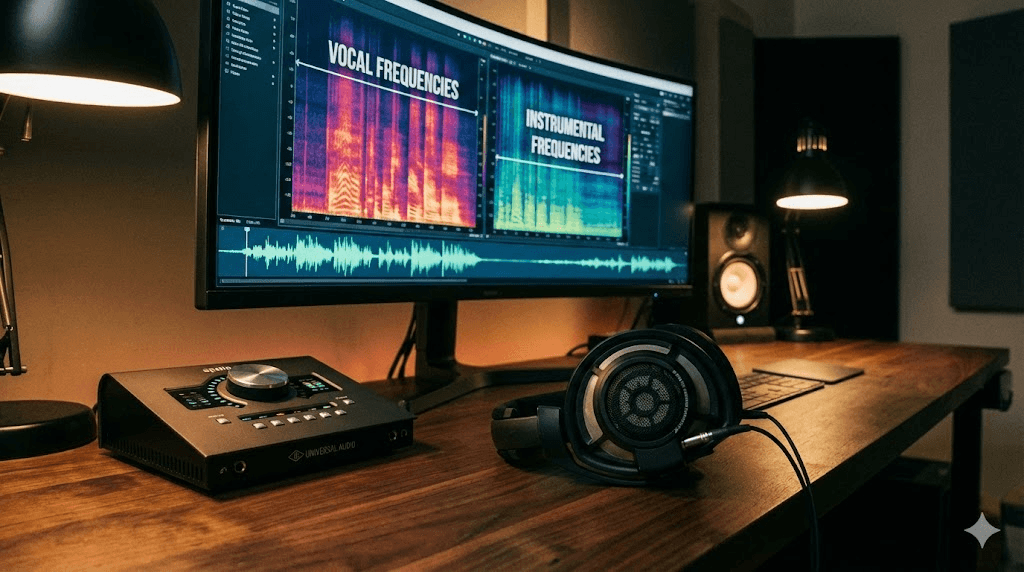
I didn't just read spec sheets. Here's what I did:
I picked three test tracks that cover different scenarios:
- A 2019 pop song with heavy production (lots of synths, layered vocals, compressed to hell)
- An older acoustic recording from the 70s (just voice and guitar, but lower quality source)
- A modern electronic track with synthesized bass that most stem splitters struggle with
For each tool, I processed all three tracks and checked for:
- How clean were the isolated vocals? Any weird phase artifacts?
- Did the drums maintain their punch, or sound washed out?
- How much "bleed" was there between stems? (Like, could I still hear faint vocals in the instrumental track?)
- Processing time and whether I could actually use this in my workflow
I also tested the free tiers genuinely no premium accounts unless the free version was unusable.
The Tools That Actually Delivered
- Ultimate Vocal Remover 5 (UVR5) The Free Powerhouse

Platform: Desktop (Windows, Mac, Linux)
Cost: Completely free, open source
Best for: Anyone willing to spend 30 minutes learning the interface
Okay, I'll be honest UVR5 looks intimidating at first. The interface isn't pretty, and there are so many model options that you'll probably panic initially. But here's the thing: once I figured out which models work best for what, this became my go to tool.
The results? Consistently better than LALAL.AI on my test tracks. The MDX23C model pulled out vocals from that compressed pop song with less artifacts than anything else I tried. And yeah, it's completely free. No limits, no watermarks, nothing.
What I liked:
- Multiple AI models means you can experiment until you find what works for your specific track
- Batch processing actually works (unlike some paid tools)
- Super active community found solutions to weird issues within hours on their Discord
- GPU acceleration made it reasonably fast on my M1 Mac
What annoyed me:
- First time setup is confusing
- Processing times vary wildly (2 minutes to 20 minutes depending on model and hardware)
- You need to understand what models like "Demucs v4 HT" actually mean
- No preview function, so you process everything first
Real talk: If you process music regularly, invest the time to learn UVR5. For my DJ work, I now use UVR5 for critical tracks where quality matters, and faster online tools for quick edits.
- Moises.ai Not Just a Stem Splitter

Platform: Web + iOS/Android apps
Cost: Free (5 songs/month), Premium $3.99/month
Best for: Musicians who want more than just separation
I originally tried Moises just for stem separation, but it became my practice tool. The app detects chords automatically, lets me slow down tempo without affecting pitch, and the stem separation is... good enough for most purposes.
Is it the absolute best quality? No. I can hear more instrumental bleed in the vocals compared to UVR5 or LALAL.AI. But when I'm learning a bass line and need to isolate the bass track, adjust the tempo to 70%, and see the chord progression all in one app on my iPad? That's unbeatable.
What worked well:
- The mobile app is genuinely useful (practiced bass lines on the subway)
- Chord detection is surprisingly accurate
- Premium at $3.99 is actually reasonable
- Count in feature is great for practicing along
- Can export stems directly to GarageBand or other DAWs
Where it falls short:
- Separation quality is a step below LALAL.AI
- Free tier's 5 songs per month is pretty limiting if you're serious
- Processing queue gets slow during evening hours (US time)
My take: If you're a musician who practices regularly, this is a no brainer. The $3.99/month pays for itself in convenience. But if you're purely focused on getting the cleanest possible stem separation, look elsewhere.
- Gaudio Studio The Direct LALAL.AI Competitor
Platform: Web based
Cost: Free trial (20 minutes), then $5.99 for 100 minutes
Best for: People who liked LALAL.AI but not the subscription model
I tested Gaudio Studio specifically because I wanted to see if it could truly match LALAL.AI's quality. Verdict? It's remarkably close. On some tracks, I honestly couldn't tell the difference in a blind test.
The big advantage: you buy processing minutes that never expire. I bought the 100 minute package six months ago, I've used maybe 60 minutes, and I'm not stressed about it.
What impressed me:
- Quality genuinely rivals LALAL.AI (used the same test tracks on both)
- Piano separation was noticeably good better than LALAL.AI on my jazz test track
- Processing speed is fast, even in the free queue
- Clean interface, no BS
- 20 minute free trial let me test it properly before buying
The downsides:
- Currently limited to 6 stem types (LALAL.AI offers more)
- No desktop app yet (though they say it's coming)
- Can't batch process in the web version
Worth it? If you occasionally need stem separation and don't want a subscription, yes. I'd say it's a better value proposition than LALAL.AI unless you're using advanced features like lead/backing vocal separation.
- Fadr Free and Actually Unlimited
Platform: Web based
Cost: Free (unlimited, MP3 output), Plus $10/month
Best for: Producers on a tight budget who need frequent processing
When something's free and unlimited, I'm usually skeptical. But Fadr surprised me. The quality isn't exceptional, but it's good enough for sampling, rough DJ edits, or just experimenting with ideas.
I used it to extract drums from about 20 tracks for a beat tape project. Did I wish the quality was better? Sure. But I wasn't paying anything, and the results were usable after some EQ work.
The good stuff:
- Truly unlimited processing on the free tier
- Also detects key, BPM, and chord progressions
- Can extract MIDI from separated stems (surprisingly useful)
- Remix creation tools are fun to play with
- No account needed for basic features
The trade offs:
- Free tier only outputs MP3 (fine for demos, not for final projects)
- More artifacts and bleed than premium tools
- Processing can be slow during peak hours
- Interface feels cluttered with all the extra features
My recommendation: Use Fadr for experimentation, rough drafts, and when you need to process a lot of tracks quickly without worrying about credits. Once you know what you want, use a better tool for the final version.
- Logic Pro's Stem Splitter If You're Already on Mac
Platform: Mac only (requires Apple Silicon)
Cost: $199 one time (full Logic Pro license)
Best for: Mac based producers already using Logic
I'll be upfront: this only makes sense if you already use Logic Pro. But if you do? It's incredible.
The separation happens instantly no uploading, no waiting, no credits. I can drop a track into Logic, extract stems, and start working within seconds. For workflow, nothing else comes close.
Why I use it:
- Zero latency seriously, it's instant
- Piano and guitar separation is outstanding (better than most standalone tools)
- Works offline, no internet needed
- Already included in Logic, so no extra cost
- Integrates perfectly with my production workflow
The obvious limitations:
- Mac only, and you need an M1/M2/M3 chip
- Can't use it standalone outside Logic
- Limited to 6 stem types
- No parameter adjustments, you get what you get
Bottom line: If you're a Logic user on Apple Silicon, just use this. For everything else, you're already covered. But if you're on Windows or don't use Logic, this is obviously not an option.
- RipX DeepRemix For Serious Remix Work
Platform: Desktop (Mac/Windows)
Cost: $99~$299 depending on tier
Best for: Producers who need to edit stems after separation
RipX is different. It's not just about extracting stems you can actually edit individual notes within the separated audio. I used it to fix a vocal stem where the AI had incorrectly included some backing vocals. I could literally select and delete specific notes.
Is this overkill for basic vocal removal? Absolutely. But for remix work where you need surgical precision, it's powerful.
Where it shines:
- Note level editing of separated audio is genuinely unique
- Can export to MIDI for further manipulation
- Repair tools help clean up artifacts
- One time purchase, not a subscription
- Separation quality is solid (not the best, but good)
Where it doesn't:
- Expensive for basic stem separation needs
- Learning curve is steep
- Interface takes getting used to
- Processing is slower than online tools
Should you buy it? Only if you're making remixes or mashups regularly and need that level of control. For simple vocal removal, save your money.
- iZotope RX 11 The Professional Nuclear Option
Platform: Desktop (Mac/Windows)
Cost: $399 Standard, $1,299 Advanced
Best for: Audio professionals who need the absolute best
I tested RX because I wanted to know what professional studios use. The Music Rebalance feature for stem separation is... well, it's flawless when you need it to be.
Here's the scenario where RX justified its price: I had a vocal recording from a live performance with terrible room acoustics and heavy bleed from stage monitors. Every other tool I tried gave me unusable results. RX extracted a clean vocal that I could actually work with.
Why it's worth $399+ for some people:
- Handles problem audio better than anything else
- Spectral editing lets you remove specific artifacts
- Batch processing for professional workflows
- Industry standard for post production and mastering
- Includes tons of other repair and restoration tools
Why most people shouldn't buy it:
- Expensive as hell
- Overkill unless you're working with difficult source material
- Steep learning curve
- Requires a powerful computer
My advice: If you're reading this article and wondering whether you need RX, you probably don't. The people who need it already know. For everyone else, there are more cost effective options.
- AudioStrip When You Need It Fast
Platform: Web based
Cost: Free tier, $8/month (250 tracks)
Best for: DJs and anyone with tight deadlines
AudioStrip processed my 4 minute test track in about 12 seconds. That's insanely fast. Quality? Pretty good not amazing, but good enough for DJ sets when you're preparing tracks an hour before the gig.
I've used it in emergency situations where I needed a clean instrumental quickly, and it delivered. Would I use it for a final remix release? Probably not. But for live performance prep, it works.
The quick wins:
- Blazingly fast processing
- Batch upload is smooth
- Interface is dead simple
- $8/month for 250 tracks is reasonable if you use it
The compromises:
- Quality is slightly below tools that take longer
- Only separates vocals/instrumental (no multi stem)
- Free tier is very limited
Use case: You're a DJ. It's Friday afternoon. Your Saturday night set needs three custom edits. AudioStrip will save you.
- MVSEP.com The Model Playground
Platform: Web based
Cost: Free with ads, paid tiers from $5
Best for: Audio nerds who like experimenting
MVSEP gives you access to basically every stem separation model that exists Demucs, Spleeter, various RoFormers, experimental models, everything. It's like a laboratory for stem separation.
I spent an embarrassing amount of time testing different model combinations on the same track. Some models were terrible. Some were surprisingly good. The BS Roformer ensemble gave me the best vocal isolation I've ever heard, but it took 25 minutes to process.
For audio geeks:
- Access to 50+ different separation models
- Can combine multiple models (ensemble mode)
- See quality metrics and comparisons
- Educational if you're into the technical side
- Regular updates with new models
For normal humans:
- Completely overwhelming interface
- Processing is often very slow
- Need to understand AI models to optimize results
- Free tier has ads and limitations
My take: If you enjoy tinkering and want to understand how different algorithms handle audio, MVSEP is fascinating. If you just want to remove vocals and get on with your life, it's probably too much.
- VocalRemover.org The Simple Free Option
Platform: Web based
Cost: Completely free
Best for: One time users or complete beginners
This is the tool I recommend to friends who just want to make a karaoke track of one song for a party. You upload a file, it removes the vocals, done. No account, no credits, no complexity.
Quality? Mediocre. I heard more artifacts and bleed than any other tool I tested. But for casual use where you're not analyzing the audio closely, it works.
Why it's useful:
- Dead simple to use
- Totally free with no limits
- No registration required
- Fast enough
- Works on phones
Why it's limited:
- Quality is noticeably worse than paid tools
- Only basic vocal/instrumental separation
- Can't adjust any settings
- MP3 output only
Perfect for: Your friend who wants to do karaoke at a birthday party and doesn't care about audio artifacts. Not perfect for anything you're releasing or performing professionally.
- Splitter.ai The Developer Friendly Option
Platform: Web + API
Cost: Free tier, from $9/month
Best for: Developers integrating stem separation into apps
I tested Splitter.ai's API when building a small tool for my DJ collective. The documentation is clear, the API works reliably, and the quality is consistent not exceptional, but predictable.
For developers:
- Well documented REST API
- Reasonable rate limits and pricing
- Good uptime and reliability
- Clear licensing terms
- Multiple stem separation options
For end users:
- The web interface is fine but nothing special
- Quality is good but not outstanding
- Pricing is competitive but not the cheapest
Verdict: If you're building an app that needs stem separation, consider Splitter.ai. If you're just an end user, there are better options for your needs.
Direct Comparison: What Actually Matters
After all that testing, here's how these tools stack up on the metrics that actually affect your experience:
| Tool | Quality | Speed | Price/Value | Learning Curve | Best Use |
| LALAL.AI | Excellent | Fast | Medium | Easy | General purpose |
| UVR5 | Outstanding | Slow | FREE | Moderate | Best overall quality |
| Moises.ai | Good | Fast | Excellent | Easy | Musicians practicing |
| Gaudio Studio | Excellent | Fast | Good | Easy | LALAL.AI replacement |
| Fadr | Fair Good | Medium | Excellent (free) | Easy | Unlimited free use |
| Logic Pro | Excellent | Instant | N/A | Easy | Mac producers |
| RipX | Very Good | Medium | Medium High | Hard | Remix editing |
| iZotope RX | Best | Medium | Poor | Hard | Problem audio |
| AudioStrip | Good | Very Fast | Good | Easy | Quick DJ edits |
| VocalRemover.org | Fair | Fast | Excellent (free) | Very Easy | Casual use |
| MVSEP | Variable | Slow | Good | Hard | Experimentation |
| Splitter.ai | Good | Fast | Medium | Easy Medium | API integration |
Picking the Right Tool for Your Situation
Forget the marketing speak. Here's what I'd actually recommend based on what you're trying to do:
You're a bedroom producer working on remixes: Start with UVR5. Yeah, the interface is ugly and there's a learning curve, but the quality to price ratio (free) is unbeatable. Watch a couple YouTube tutorials, spend an hour learning it, and you'll have a tool that rivals $400 software.
You're a DJ preparing sets: Use Gaudio Studio or AudioStrip. If quality matters more, get Gaudio's 100 minute package for $6 and make it last. If speed matters more, AudioStrip's monthly sub makes sense. For practice and rough edits, Fadr's free tier works fine.
You play an instrument and want to learn songs: Moises.ai is the obvious choice. The stem separation alone would be worth it, but you also get chord detection, tempo control, and practice features. At $4/month, it's cheaper than a couple of coffee runs.
You're on a Mac with Logic Pro: Just use Logic's built in stem splitter. It's fast, it's good quality, and it's already on your computer. Done.
You need this once for a school project or karaoke night: VocalRemover.org. Upload, download, move on with your life.
You work in professional audio production: Consider iZotope RX if you're dealing with problem audio regularly. For clean source material, UVR5 or Gaudio Studio will probably be fine and way cheaper.
What I Learned That Surprised Me
Some observations from actually using these tools extensively:
Quality varies more by source material than by tool. That pop track with heavy production? Every tool struggled a bit. The acoustic guitar track? Everything did pretty well. The electronic track? Only the best tools handled it cleanly. Point being: don't judge a tool on one song.
Free doesn't mean worse. UVR5 regularly outperformed paid tools. The tradeoff is convenience and user interface, not quality. If you're willing to learn, you can get professional results for free.
Speed vs quality is a real tradeoff. AudioStrip gave me results in 15 seconds that were pretty good. UVR5 took 15 minutes but sounded noticeably better. Depending on your deadline, both are the "right" choice in different situations.
Most tools use the same underlying models. Demucs, Spleeter, MDX Net these open source models power many different services. What differs is the user interface, processing infrastructure, and pricing model. This is why free tools can compete with paid ones.
Batch processing is underrated. When I needed to process 30 tracks for a DJ set, having batch processing saved hours. Tools without it (even if they're higher quality) became impractical.
Some Practical Tips That Actually Help
After processing hundreds of tracks, here's what improves results:
Start with the best source quality you have. If you have the track in WAV or FLAC, use that instead of MP3. The difference in separation quality is noticeable. I learned this the hard way when I processed an MP3 and got terrible results, then tried the same track in WAV and it came out much cleaner.
Sometimes running the output through again helps. This sounds weird, but I've had success taking an isolated vocal stem and running it through separation again to clean up residual instrumental bleed. It doesn't always work, but when it does, it can save a stem you thought was unusable.
Different tools for different instruments. I use UVR5's best model for critical vocal work, but Logic Pro's algorithm for piano separation because it genuinely excels at that. Don't feel locked into one tool.
De reverb before separating if possible. If you're using a tool that has de reverb (LALAL.AI, RX), turn it on. Reverb confuses the separation algorithms and causes more bleed between stems.
Check in mono. Phase issues and artifacts are often more obvious in mono. I'll sometimes bounce my separated stems to mono just to check for problems that might not be obvious in stereo.
The Elephant in the Room: Copyright
Quick reality check: these tools don't give you the legal right to use the separated stems commercially. They're just technology. If you're making a remix of a copyrighted song and want to release it, you still need proper licensing. These tools are great for:
- Personal practice and learning
- DJ sets (generally covered by venue licenses)
- Creating demos or references
- Educational purposes
But if you're planning to release something commercially, talk to a lawyer or get proper licenses. The technology makes separation easy; it doesn't make it legal.
What's Coming Next
The field is evolving fast. Some trends I'm seeing:
Real time separation is almost here. Some DJ software is starting to integrate real time stem separation. Imagine being able to split a track on the fly during a live set. We're not quite there yet for quality results, but it's coming.
Genre specific models are emerging. Instead of one algorithm for everything, we're seeing models trained specifically on jazz, or electronic music, or classical. These specialized models handle their genre better than general purpose ones.
Better handling of old recordings. Current tools struggle with pre 1980s recordings because they're trained mostly on modern music. But newer models are getting better at this.
So... Which LALAL.AI Alternative Should You Actually Use?
After all this testing, here's my honest recommendation hierarchy:
Best overall alternative: UVR5. It's free, it produces the best quality, and once you learn it, it's incredibly powerful. The only real downside is the learning curve and processing time.
Best convenience to quality ratio: Gaudio Studio. Matches LALAL.AI quality, more transparent pricing, no subscription lock in. This is what I'd use if UVR5 didn't exist or if I needed something fast with a clean web interface.
Best for musicians: Moises.ai, no question. The practice features plus stem separation make it an all in one tool that's actually affordable.
Best free unlimited option: Fadr. Quality isn't the highest, but unlimited free processing with MP3 output is great for practice, demos, and rough work.
Best for Mac users: If you have Logic Pro, use that. If you don't have Logic but need stem separation regularly, UVR5 is still the answer.
My Personal Setup
Since you asked (or were wondering), here's what I actually use:
- UVR5 for critical projects where quality is non negotiable
- Gaudio Studio when I need something quick with good quality and don't want to open UVR5
- Moises.ai on my iPad for learning bass lines and practicing
- Logic Pro's built in tool when I'm already working in Logic and just need stems quickly
I keep my Gaudio Studio credits around for emergency situations, and I'll sometimes use AudioStrip when I literally need stems in the next 10 minutes.
Final Thoughts
LALAL.AI is a solid tool. I'm not here to trash it it works well and for some people, the subscription model makes sense. But it's definitely not the only option, and depending on your needs, it might not even be the best option.
The stem separation world has gotten way more competitive in the past couple years. We now have free tools that match or exceed paid ones in quality, specialized tools for specific use cases, and more choices at every price point.
My advice? Don't just take my word for it. Try UVR5 (it's free). Try Gaudio Studio's free trial. See what actually works for your specific music and workflow. Every tool I tested had scenarios where it excelled and scenarios where it struggled.
The goal isn't to find the "perfect" stem separator it's to find the one that fits your workflow, your budget, and your quality requirements. And honestly, having 2~3 tools in your toolkit isn't a bad idea either.
Good luck with your stems. And if you're making something cool with these tools, I'd genuinely love to hear about it.
